
See what changes when you reorder two CSS filters
Admin ·
A filter chain acts on the same picture several times. Changing the order of two functions can change the output even though their individual settings stay unchanged. Compare both orders on one image before applying the CSS to a project.
Compare brightness before and after inversion
Choose Load sample photo and start from Unfiltered. Add Brightness and set it to 50%. Add Invert and set it to 100%. Preview the result. It should look lighter because inversion now acts on the darkened picture.
Move Invert up. The darkening now runs last. The preview should be darker and the declaration should read filter: invert(100%) brightness(50%). On an opaque sRGB patch of rgb(100 120 160), the first order produces approximately rgb(205 195 175). The second gives approximately rgb(78 68 48) after display rounding.
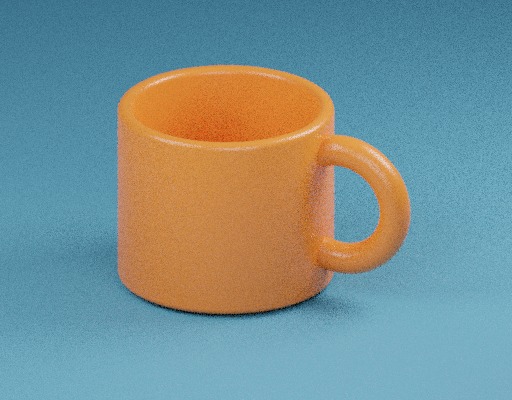
ToolMellow mug photo used in the previewW3C Filter Effects Level 1, filter ordering and sRGBW3C Filter Effects Level 1, filter function definitions
Check how a drop shadow follows transparency
Choose Unfiltered again, add Drop shadow, and use a local PNG with a transparent background to see its outline cast the shadow. CSS drop-shadow follows the alpha of the rendered source. A fully opaque photo can only cast a rectangular silhouette.
For an easier comparison, set X offset to 10 px, Y offset to 12 px, blur to 0 px and shadow opacity to 65%. With those values the offset is easy to see. Increase blur after you have checked the direction.
W3C Filter Effects Level 1, filter function definitionsW3C CSS Color Level 4, sRGB and transparency
Apply the stylesheet to the intended image
Download image-filter.css, add filtered-image to an image in your page, and inspect the computed filter property in the browser. The function order should match the exported list even if the browser displays percentages as decimal factors.
CSS filter functions operate in sRGB. The browser handles source image profiles for display, and results can vary across displays. To check an effect on text and background together, test the colors that actually appear after filtering and compositing.
W3C Filter Effects Level 1, filter ordering and sRGBW3C CSS Color Level 4, sRGB and transparency
Common questions
Can I apply the same function twice?
Yes. Add it twice and place the functions where you want them in the list. A later function starts from the previous one’s output.
Does the download include the filtered photo?
The download contains a stylesheet. Apply the class to your image on a web page to see the effect there.
Sources
Put it into practice.
- CSS Filter Generator
- CSS Box Shadow Gradient Playground
- CSS Glassmorphism & Claymorphism Generator
- Photo Filter Presets