Build a pixel art palette from photo blocks
Admin ·
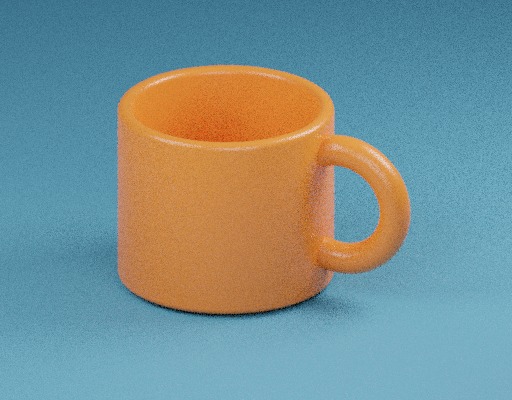
Pixel art can begin with a coarse grid of colors sampled from a photo. Start with the mug example so you can compare the handle outline at different block sizes.
Make a 32 × 25 grid from the mug
Select Load example. Keep Block size at 16 px, Palette at Original averages and PNG geometry at Keep original dimensions. Make pixel art. The 512 × 400 example becomes 32 columns by 25 rows of blocks, and the PNG still measures 512 × 400 pixels.
Switch PNG geometry to One pixel per block and render again. The download is now 32 × 25 pixels. If a future input does not divide evenly, the final blocks average the pixels that remain.
ToolMellow example mugW3C Portable Network Graphics Third Edition
Compare color limits on the same grid
Try one palette at a time while keeping the 16 px blocks. Compare the contour near the top of the handle and the larger regions on the mug. Toggle Ordered dithering to check how a repeated 4 × 4 pattern changes the palette choice across cells.
| Palette | Color behavior |
|---|---|
| Original averages | Keep the alpha-weighted color of each block. |
| Four grays | Map colors to black, white and two middle grays. |
| PICO-8 | Map each block to the closest of 16 fixed RGB swatches. |
| Adaptive 16 colors | Derive a palette of up to 16 colors from the averaged blocks. |
Check soft edges in the exported PNG
Open a transparent PNG and render with Original averages. The block RGB is weighted by source opacity, so hidden colors cannot tint a visible edge. The output alpha is the mean of the source alpha values inside the block.
For an image that will be edited one cell at a time, keep the one-pixel-per-block output. For a full-size mockup, keep the original dimensions and compare the edge against the preview checkerboard.
Common questions
Why does a transparent edge look chunkier after conversion?
All pixels in a block share its average coverage. Use a smaller block when you need a more detailed outline.
Why does ordered dithering make a pattern visible?
It offsets each block color by its location within a repeated 4 × 4 threshold grid before the palette match.