Check a launch icon at small and store sizes
Admin ·
Judge a launch icon where people will see it. The same artwork can feel clear at 1024 pixels and cramped in a 48-pixel launcher. The Gridmark sample shows what changing the crop or padding does in both places.
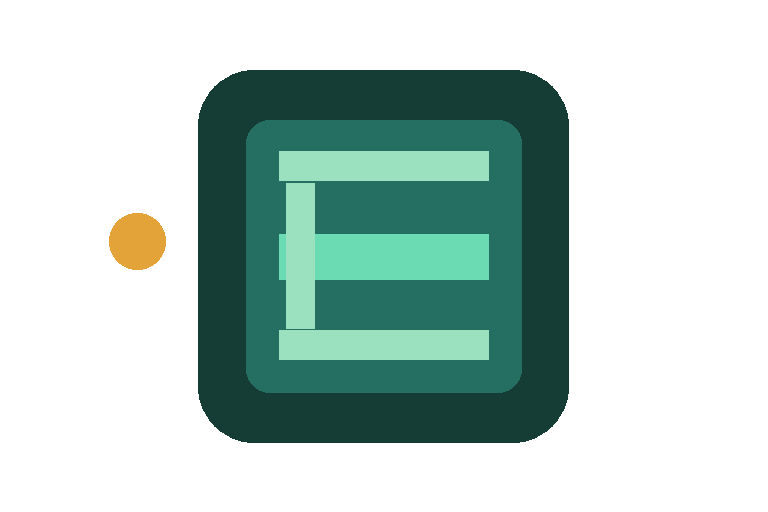
Compare the Gridmark icon at 48 and 1024 pixels
Select Load Gridmark example to open a 768 × 512 PNG. At a 50% horizontal crop position and 100% zoom, the central square keeps the green mark and clips part of the amber dot on the left. Move Horizontal crop position to 0% to bring that dot fully into frame. Return to 50% and leave 10% padding on each side.
Select both platforms and generate the ZIP. Compare the 48 × 48 Android launcher PNG with ios/AppIcon.appiconset/app-store-1024.png. The 48-pixel version has about five pixels of padding on each side. Check whether the horizontal strokes still read at that size before changing the background or crop.
Place each set in the correct project folder
For a legacy per-size iOS catalog, move the AppIcon.appiconset folder into Assets.xcassets. Keep Contents.json next to the PNG files it names. A single-size Xcode setup can use the 1024-pixel PNG. The same 1024-pixel export uses a white matte when a custom background color is off.
Copy the Android mipmap folders into your app module's res directory and point android:icon at @mipmap/ic_launcher. The separate 512-pixel PNG goes to the Play listing. Projects with a mipmap-anydpi-v26 resource can provide dedicated foreground and background layers for adaptive icons.
| Destination | Example path from the archive | Square dimensions |
|---|---|---|
| Xcode asset catalog | ios/AppIcon.appiconset/app-store-1024.png | 1024 × 1024 |
| Android mdpi launcher | android/res/mipmap-mdpi/ic_launcher.png | 48 × 48 |
| Android xxxhdpi launcher | android/res/mipmap-xxxhdpi/ic_launcher.png | 192 × 192 |
| Google Play listing | android/play-store-512.png | 512 × 512 |
Apple asset catalog reference for app icon setsAndroid Developers mipmap densities and manifest registrationGoogle Play icon design specifications
Verify the background and small edges
Check the iOS and Android downloads over a colored surface. iOS should show a solid matte under the source transparency. Android should let the surface show through where the source is transparent, unless you turn on Apply solid background.
Use a higher-resolution master or a self-contained SVG if a large export shows soft edges. Keep the final PNG square. Android launchers and app stores apply their own masks where applicable.
Apple asset catalog reference for app icon setsGoogle Play icon design specifications
Common questions
Can I download one icon without unpacking the ZIP?
Yes. After generating the bundle, open Download individual PNGs and choose the exact device and size you need.
How do I change what the crop keeps?
Horizontal and vertical crop position move the square within the source. Crop zoom selects a smaller part of the source. Padding changes the margin around the square after cropping.