Compare Blur and Mosaic on a Practice Portrait
Admin ·
Use the two drawn guests on an open-studio panel to compare a soft blur against a mosaic. Mark both areas once, then switch the style and inspect each saved image at its full size.
Set both regions on the practice portrait
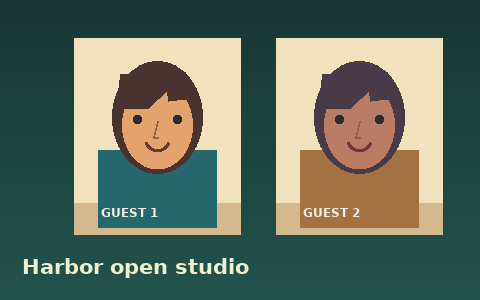
Select Load practice panel. The 480 × 300 image shows two illustrated guests. For the first guest, select Add region, set the width and height, then enter the left and top coordinates.
Repeat for the second guest or drag a box over the portrait. Use the orange outline to check that the hair, eyes and mouth lie inside the selected region.
| Guest | Left and top | Width and height |
|---|---|---|
| Guest 1 | 86, 55 | 142 × 164 px |
| Guest 2 | 295, 54 | 128 × 166 px |
Compare an 8-pixel blur with 12-pixel mosaic blocks
Leave Effect on Blur and set Blur radius to 8 px. Apply to photo and download a PNG. The sharp color changes around the eyes soften while the title below the portraits remains readable.
Switch to Pixelate and set Block size to 12 px. Apply the change and open the new PNG. Inside each box the pixels should form visible square blocks. The last row and column may have narrower blocks where the rectangle ends.
Synthetic Harbor open-studio practice panelWHATWG Canvas pixel manipulation
Inspect the edges and recognize remaining detail
Check the saved file at 100% and inspect the edges of each portrait. Move or extend a rectangle if part of a facial feature lies outside it.
Soft blur averages nearby colors, so broad face shapes can remain visible. Mosaic blocks also retain average colors. Use Redact Image to replace the source pixels with an opaque fill when the detail needs to be removed.
WHATWG Canvas pixel manipulationSynthetic Harbor open-studio practice panel
Common questions
Will the blur soften pixels outside the rectangle?
The blur reads colors from inside each region and writes the change within its boundaries. Use PNG to preserve the most exact surrounding pixel values.
Can I select the rectangles without dragging?
Use Add region and select its region button. The Left, Top, Width and Height fields set all four boundaries in image pixels.