Draw graphite lines and cartoon edges from a photo
Admin ·
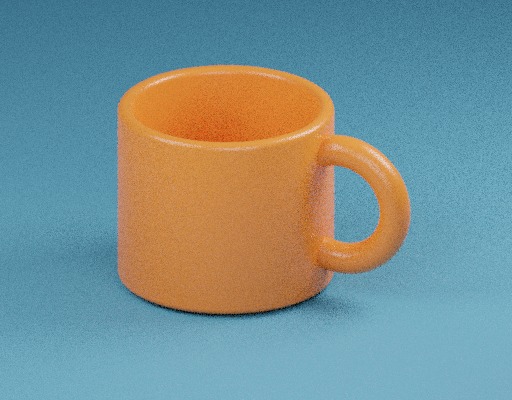
A drawing effect can bring contours forward while leaving large areas lighter. The sample mug offers a curved handle, a rim and a broad shaded face for comparing lines with areas of tone.
Trace the mug and handle
Select Load example, keep Graphite sketch, Line scale 3 px and Intensity 100%, then apply the drawing effect. Compare the rim and inside edge of the handle with the same areas in Before. The output is a 512 × 400 PNG.
Graphite uses a weighted brightness value for each pixel and compares it with the surrounding average. A dodge calculation lifts even tones, and the remaining shading keeps dark interiors visible.
ToolMellow example mug photoW3C Compositing and Blending Level 1, color dodge
Compare line width and flat color
Change Line scale to 8 px and apply again. Inspect the same edge at both settings. Then choose Ink cartoon and apply again to see the stepped colors and darker high-contrast edges.
| Drawing settings | Where to compare |
|---|---|
| Graphite sketch, 3 px, 100% | Look at narrow details around the rim and handle. |
| Graphite sketch, 8 px, 100% | Check how the edge response extends farther from each contour. |
| Ink cartoon, 8 px, 100% | Compare the color steps on the mug face and the outline near the rim. |
Check size and transparent edges in the download
Open a still PNG with a partial alpha edge and keep Intensity at 100%. Apply and compare the way the same edge sits over the checkerboard in both previews. The saved PNG keeps the decoded alpha values and the displayed width and height.
Set Intensity to 40% to blend some source color back into the drawing. At 0% the PNG uses the original decoded pixels. Download after applying the new settings.
Common questions
Why does the graphite effect look faint on a plain wall?
The nearby brightness values are similar. Graphite puts stronger marks where a dark pixel lies near lighter tones.
Does the exported PNG keep the original JPEG orientation tag?
The decoder applies supported orientation metadata to the pixels. The output stores the displayed result as a new PNG.