Refine a background mask around a mug handle
Admin ·
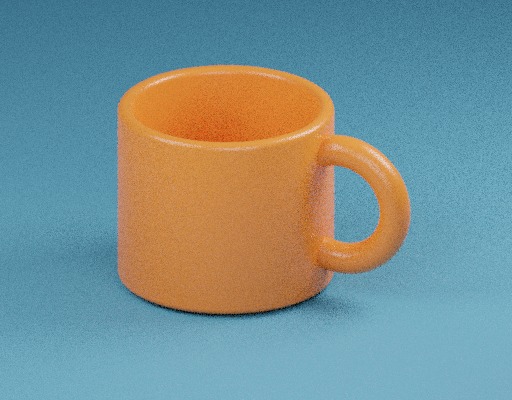
A product photo needs a clean edge around the ceramic and transparent space inside the handle. Compare that area with the original photo, then make a small mask edit before saving the cutout.
Find the mug in the practice photo
Open Background Remover and select Load example. The sample is a 512 × 400 image of an orange mug on a blue surface. Choose Remove background and wait for the fixed model and runtime to load.
The checkerboard in Cutout view represents transparency. Switch to Mask to check the shape. White keeps the image, black removes it and gray creates a partly transparent edge.
Download the original practice mug imageU²-Net project, model architecture and training size
Check the opening and edge of the handle
Compare the handle in Original and Cutout views. If blue remains in the opening, select Erase and lower the brush diameter to 8%. Paint in the center of the opening, around 69% from the left and 49% from the top. You can also enter those coordinates under Place a brush with coordinates.
Choose Restore with a small brush if you erased part of the orange edge. Undo brush reverses the last stroke. Reset mask returns to the initial segmentation. Increase Edge threshold a little if a faint blue fringe remains, then check the handle again.
Download the original practice mug imageU²-Net project, model architecture and training size
Check the PNG on a contrasting background
Download background-mug-transparent.png. Its canvas remains 512 × 400. Place it over a pale backdrop and check both the mug outline and handle opening.
The model makes a 320 × 320 mask and the tool scales it to fit the source image during export. Closely inspect hair, shadows, soft edges and small openings in your own photos.
W3C PNG specification, alpha channelsU²-Net project, model architecture and training size
Common questions
Why does the first run download assets?
The browser downloads the fixed U²-Net-p model and ONNX Runtime assets when you first request removal. The worker runs the model on this device.
Does the brush change my original image?
Paint changes the mask applied to the PNG copy. The source file stays available for comparison.