Crop Matching Tray Edges in Wide and Tall Photos
Admin ·
Use a wide and a tall tray image to see how a crop follows each photo’s proportions. Keeping the center 60% on both axes results in two different output sizes from the same crop setting.
Set the reference crop around the center tray
Select Load practice photos. The wide 440 × 280 image is the reference. Choose Free, set Width to 264 px and Height to 168 px, then set Left to 88 px and Top to 56 px.
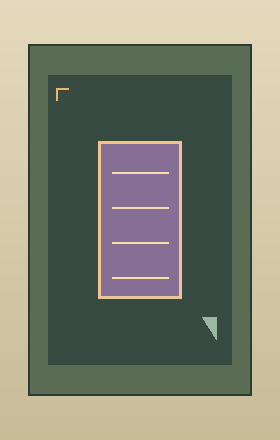
These edges retain the middle 60% of each axis. The small gold corner in each practice image marks the expected top-left edge.
Check the output dimensions before cropping
Review the sizes in the photo list. The reference retains 264 × 168 px. The second file starts at 280 × 440 and retains 168 × 264 px. Each edge is rounded on the recipient photo’s pixel grid.
An aspect preset controls the reference box. In a mixed-orientation batch, the proportional crop can produce different output ratios. To enforce one fixed ratio on every export, crop groups of similarly shaped sources separately.
| Sample | Origin of kept region | Export dimensions |
|---|---|---|
| Wide | 88, 56 px | 264 × 168 px |
| Tall | 56, 88 px | 168 × 264 px |
Wide tray crop referenceTall tray crop referenceWHATWG Canvas drawing images and source rectangles
Open both PNGs from the ZIP
Choose PNG, select Crop all photos and download the ZIP. Open both results and check their width and height. The gold corner should touch the top-left of each raster, with the inner sample tray still centered.
If a marker moves away from the edge, compare the Left and Top fields on the reference. If a later photo has different framing, remove it or crop it on its own.
Wide tray crop referenceTall tray crop referenceWHATWG Canvas drawing images and source rectangles
Common questions
Does the crop enlarge smaller photos?
The crop takes the selected pixels from each source and writes them at their own dimensions.
Why do the filenames start with a number?
The number records the photo’s position in the batch and keeps archive names distinct even when inputs share the same name.