Make a Workshop Collage with Clear Gaps and Uncropped Photos
Admin ·
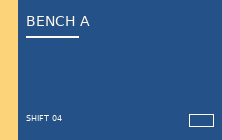
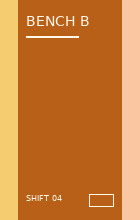
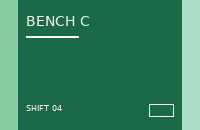
Start with three images of different proportions. Use the workshop set to see which edges a square crop removes and where a fitted image leaves space.
Set the dimensions around the three workshop photos
Select Load workshop photos. The automatic layout draws one large cell on the left and two smaller cells on the right. Choose Square grid with chosen columns to work with equal cells instead.
Choose two columns and a width of 800 pixels. Set the gap to 20 and the border to 10. The preview reads 800 × 800. The fourth slot shows the selected background.
| Setting | Example |
|---|---|
| Columns and rows | 2 × 2 |
| Outer border | 10 px |
| Gap between cells | 20 px |
| Each filled or empty cell | 380 × 380 px |
Blue workshop exampleAmber workshop exampleGreen workshop exampleWHATWG Canvas image drawing and cropping
Compare a square crop with the full photo
Use Fill cells and crop edges and inspect the blue card in the first cell. The two colored edge bands fall outside the central square crop.
Switch to Keep each whole photo. You should see both edge bands and a strip of background above and below the blue card. The three photos continue to use their original proportions. Use Up and Down to move the green card to the first cell.
Blue workshop exampleWHATWG Canvas image drawing and cropping
Check the order and exact canvas size in your saved file
Choose PNG, select Create collage, then Download collage. Open the downloaded file and check the green photo in the upper-left, the empty lower-right slot and both 20-pixel gutters.
For an alternative composition, try One left and two right at 800 pixels wide. It makes a 533-pixel-high image with the same photo order. Change the template if the collage needs a different silhouette.
WHATWG Canvas image drawing and croppingW3C PNG specification
Common questions
What happens when one cell is empty in a JPEG export?
The empty cell is filled with the chosen background color, as are the border and gaps.
Why can the square grid get taller when I add a photo?
Another row can become necessary to fit the photo. The row height follows the square cell size determined by the chosen width and columns.