
Inspect compression artifacts before exporting
Admin ·
File size gives part of the compression result. Looking at the same edge in both previews helps you decide how much change the image can tolerate.
Lossy Image Compressor with Preview
Inspect the rim at two qualities
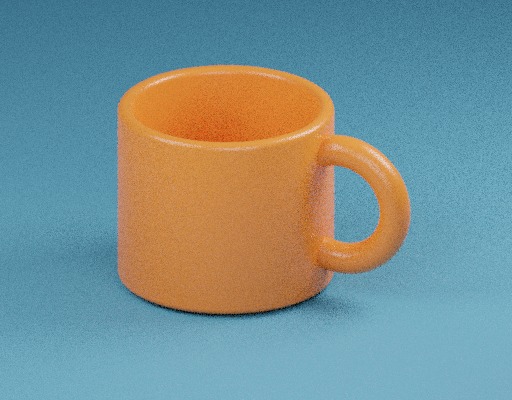
Select Load example. Choose JPEG and Quality 20, then Compare compression. The 512 × 400 output uses the displayed source dimensions. Set Shared zoom to 400% and use the two focus sliders to inspect the same part of the rim.
Record the output bytes and Mean RGB error. Change Quality to 85, encode again and inspect the same edge. Output bytes and quality differences depend on the local encoder and the image detail.
ToolMellow mug example photoWHATWG HTML Standard, serializing bitmaps to a file
Read the color and alpha measures
Mean RGB error averages the absolute channel differences between both decoded images when composited over white. Mean alpha error averages absolute alpha differences separately. Each measure runs from 0 to 255 and includes the entire image.
Windowed luma SSIM compares brightness and contrast in adjacent 8 × 8 regions. The tool applies the SSIM equation to equally weighted sRGB luma over white, clips incomplete edge windows to the image and weights window scores by their pixel counts. Identical luma scores 1.
For a one-pixel opaque example, compare RGB 100, 160, 60 with 90, 164, 60. The channel differences are 10, 4 and 0. Their mean is about 4.667, and the alpha error is 0.
| Measure | One-pixel example | What to check in a photo |
|---|---|---|
| Mean RGB error | 4.667 / 255 | Compare edges or textured detail at a shared zoom. |
| Mean alpha error | 0.000 / 255 | Check whether the chosen format retains transparent edges. |
WHATWG HTML Standard, serializing bitmaps to a fileWebP Container SpecificationWang, Bovik, Sheikh and Simoncelli, Image Quality Assessment and Structural Similarity
Compare the output formats on a transparent image
Choose a PNG with a transparent edge. Encode it once as JPEG and once as WebP. JPEG composites the source on white, while WebP can carry alpha. Use the previews and the separate alpha error to see how each file handles the edge.
Download the compressed image when its saved bytes and appearance suit the destination. Shared zoom and focus are inspection controls.
Common questions
Does an RGB error of zero guarantee identical source bytes?
It means the decoded colors composited over white match on this comparison. Different encoding or metadata can still produce different files.
Why can a compressed result be larger than my original?
Output format and quality determine what the browser encodes. Use the measured sizes for the particular source and settings.
Sources
Put it into practice.
- Lossy Image Compressor with Preview
- Compress image
- Transparent PNG Compressor
- Multi-Resolution Compressor