Frame the same screenshot for a phone or laptop mockup
Admin ·
A mockup gives a screenshot context and adds space around its pixels. Use the same sample in two frames to see why a wide interface may read more clearly in a laptop graphic.
Make a 208 × 380 phone mockup
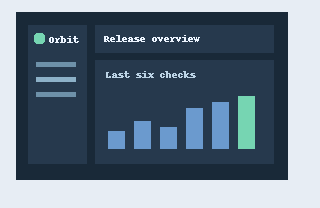
Select Load screenshot example to open the 320 × 208 sample. Choose Phone, Charcoal, Transparent and 20 px of padding. Keep Add shadow off to make the outside edge easy to inspect.
The output measures 208 × 380 pixels. The full interface appears inside the portrait screen with room above and below it. Download the PNG and put it on a colored slide to check that the space outside the shell stays transparent.
Download the sample screenshot (PNG)W3C PNG specification, alpha channel and transparency
Export a 428 × 278 laptop mockup
With the same source and padding, switch to Laptop and Silver. Choose Two-color gradient to fill the corners of the exported image. Set the first color to pale blue and the second to lavender using the color controls.
The 428 × 278 output allocates a much wider screen to the sample. The laptop base and trackpad sit beneath that screen. Check the text at its intended display size. Try Tablet for a middle option at 380 × 300 pixels with this sample.
| Frame | PNG dimensions with 20 px padding | Screen shape |
|---|---|---|
| Phone | 208 × 380 | Portrait |
| Tablet | 380 × 300 | Landscape 4:3 |
| Laptop | 428 × 278 | Landscape 16:10 |
Choose the backdrop for the final placement
A transparent PNG places the device directly onto a document or slide design. Pick a solid backdrop if all images in a help center need the same background. Use a gradient when the finished image should carry its own background.
Padding increases the exported width and height. Set it before judging legibility at the final placement size. Crop the source before framing it if you want readers to see just one part of the interface.
Common questions
How can I change the color of the device itself?
Use Device finish for Charcoal or Silver. Choose Custom to open the Device color input. Backdrop changes the canvas around the shell.
Why is there extra room inside the device screen?
The screenshot keeps its aspect ratio so the full image fits within the device. The screen color shows where its proportions differ from the frame.